

Multi-Factor Authentication
Friday, October 14, 2022
Multi-factor authentication (MFA) is sometimes referred to as two-factor authentication or 2FA. This is a security feature that requires you to present two types of credentials when logging in. These credentials can be something you know (a password for example), something you have (like a smartphone), or something you are (for example a fingerprint or voice recognition). Multi-factor authentication uses two of the three different types of credentials. As an example, when you log into your email account with your username and password, MFA would require you to enter a code that was sent to your phone. Another common example is after entering your username and password, you have a notification from an authentication app on your phone that asks you if you are trying to log in.
Multi-factor authentication adds an additional layer of security to your account. This makes it much more difficult for someone trying to break into your account. Not only would they need your password but they would also need access to your phone in order to get into the account! Many passwords are compromised every year and MFA helps prevent your accounts from being compromised!
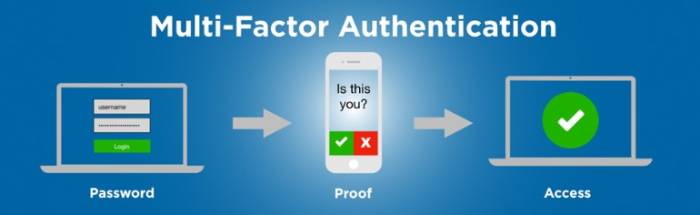
Multi-Factor Authentication is becoming more common. Many websites offer it as a security setting that you would enable to activate. While some may see it as an annoyance or an additional obstacle, MFA adds an additional layer of security and should be considered for any website where you have sensitive information. This includes bank accounts, social media accounts and even shopping websites where you might have saved credit card information.
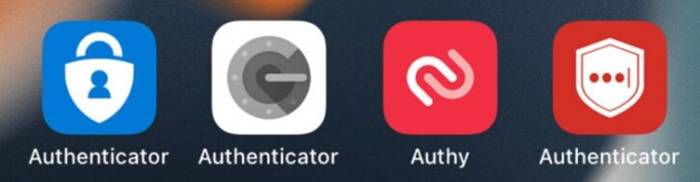
To verify your identity some websites allow you to set up MFA with a phone number that is used to receive a security code as a text message. This is definitely a positive step and is encouraged but text messages can be intercepted. Consider using an Authenticator app that can be installed on your smartphone and, when used, would generate a code that uses encrypted communication channel. This reduces the potential for compromise. For convenience, some Authenticator apps can be set up to provide a simple notification to either allow or deny a login attempt. Some examples of these kinds of apps are Duo, Authy, Google Authenticator, LastPass Authenticator, and Microsoft Authenticator.
More Information Can Be Found Here:
- Back to Basics: What’s multi-factor authentication - and why should I care?
- What is: Multifactor Authentication
- Best Authenticator App for 2025: Features and Security Reviewed and Compared
Story By: OSU Ag IT | dasnr_it@okstate.edu